 Tools
ToolsSimple Time Tracking Without the Overhead
Time tracking doesn’t need to be complicated to be useful. Many time tracking tools focus on billing rules, rigid workflows, or complex reports — which can make quick tracking harder than it should be.
SimpliTools Time Tracker was built to be fast, flexible, and easy to use.
It’s a simple way to track time spent on tasks, projects, meetings, or focused work — without friction.
A Lightweight Time Tracking Tool for Everyday Use
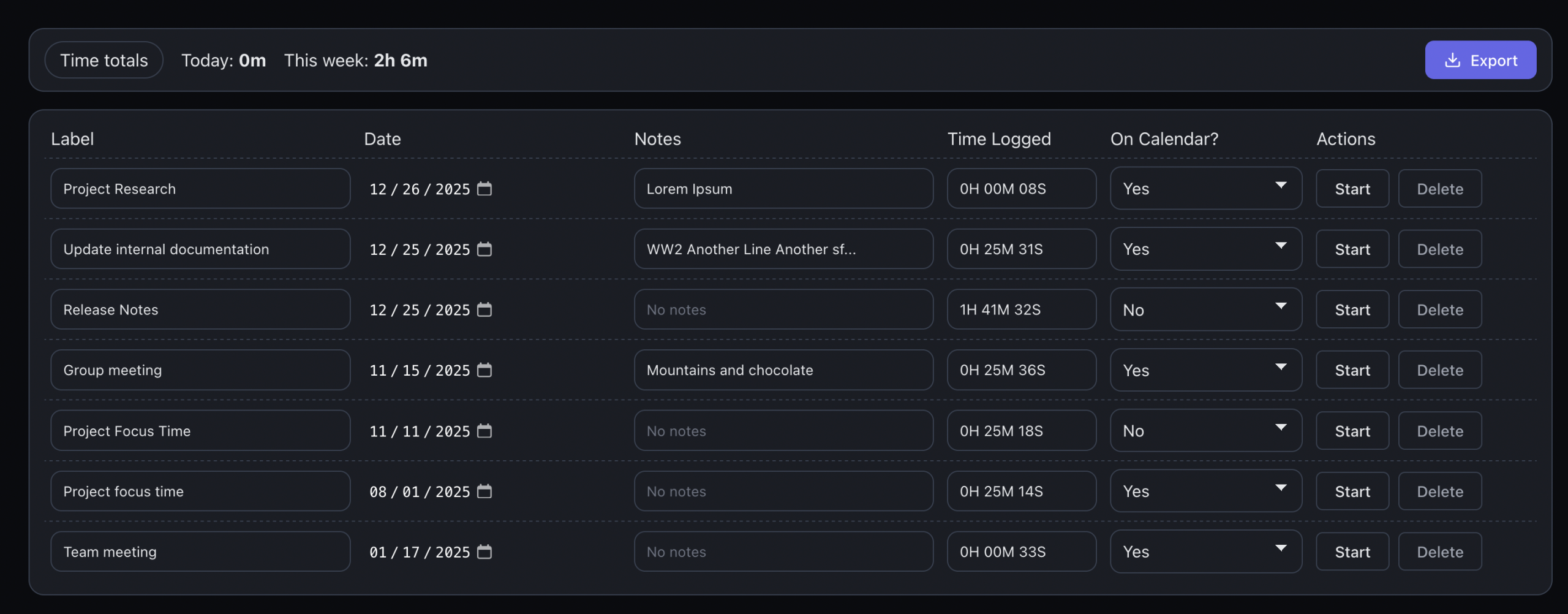
The Time Tracker is designed around a straightforward idea:
start a timer, stop it when you’re done, and move on.
You can use it to track:
-
Project work
-
Meetings
-
Focus sessions
-
Admin tasks
-
Personal activities
-
Anything that needs a time record
There’s no setup required — just add a task and start tracking.
Start and Stop Timers as Needed
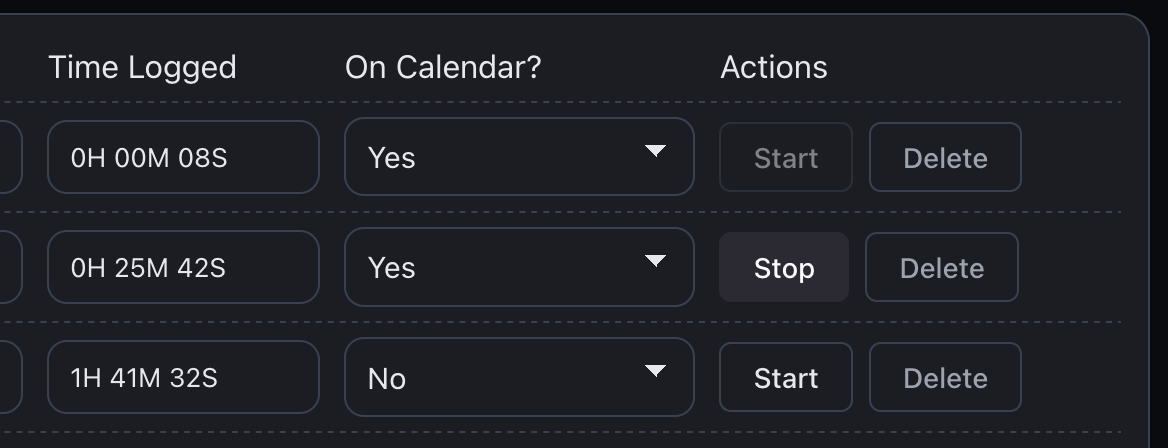
Each time-tracked item supports multiple timing sessions.
-
Start a timer when work begins
-
Stop it when you pause or finish
-
Resume the same task later
-
Time is automatically accumulated
This makes it easy to track work that happens in short bursts or across multiple sessions.
Track Multiple Tasks Without Complexity
The Time Tracker works like a simple task list:
-
Each row represents a tracked item
-
Add labels to describe the work
-
Optionally add notes for context
-
See total time logged at a glance
You always know what was tracked and how long it took.
Add Timed Work to the Calendar
Tracked time doesn’t have to live in isolation.
-
Any time-tracked item can optionally be added to the calendar
-
Timed entries appear alongside other calendar events
-
Get a complete picture of how your time was spent on a given day
This helps bridge the gap between scheduled work and actual time spent.
Export Time Tracking Data (One-Time Purchase)
For users who need their time data outside the app, SimpliTools offers time tracking export as a paid feature.
You can export tracked time to:
-
CSV format
-
Excel-compatible files
This is available via a one-time purchase, not a subscription. Export your data anytime for reporting, invoicing, or record keeping.
Designed for Speed and Clarity
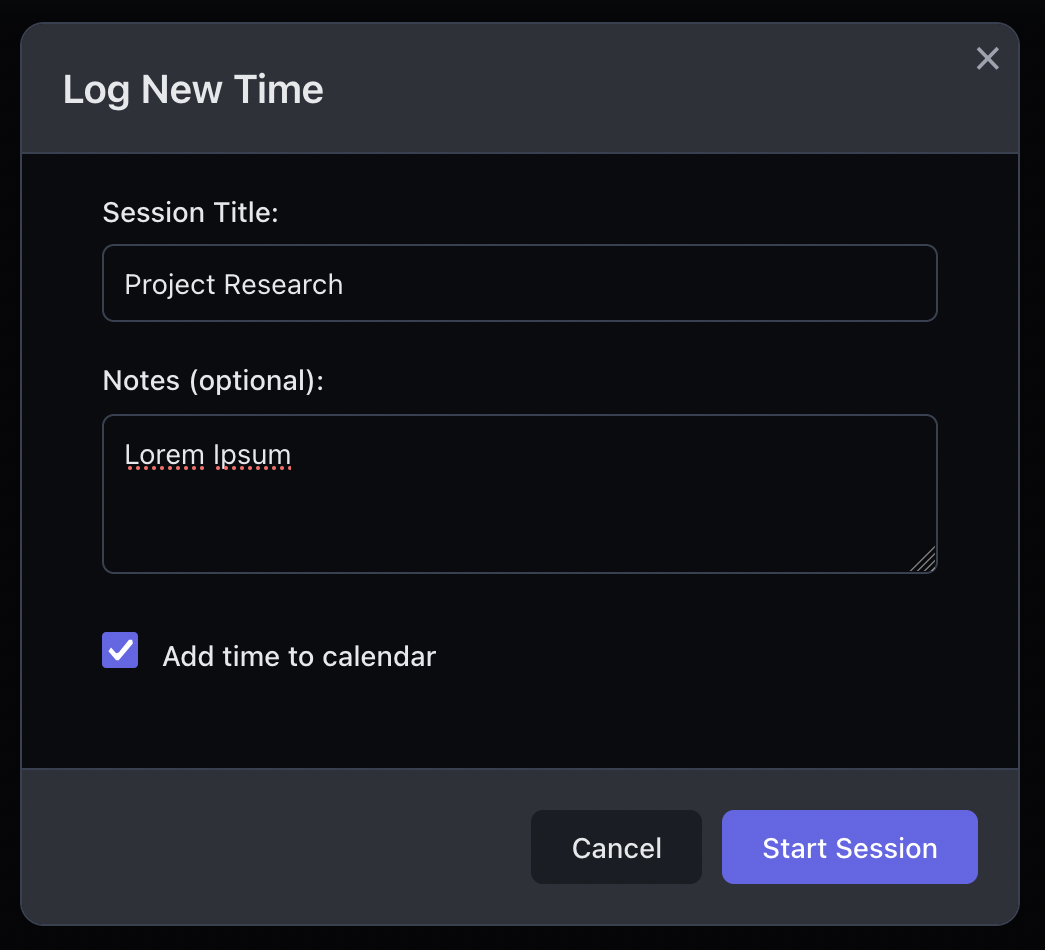
Every interaction in the Time Tracker is designed to be fast:
-
No complicated forms
-
No required categories
-
No forced billing structures
-
No unnecessary reporting screens
You can focus on the work you’re timing instead of managing the tool itself.
Light and Dark Mode Included
SimpliTools Time Tracker supports both light mode and dark mode, matching the rest of the app.
-
Clean light mode for daytime work
-
Dark mode for extended or late sessions
-
Consistent layout and behavior across modes
The interface stays comfortable and readable at all times.
A Practical Way to Track Time
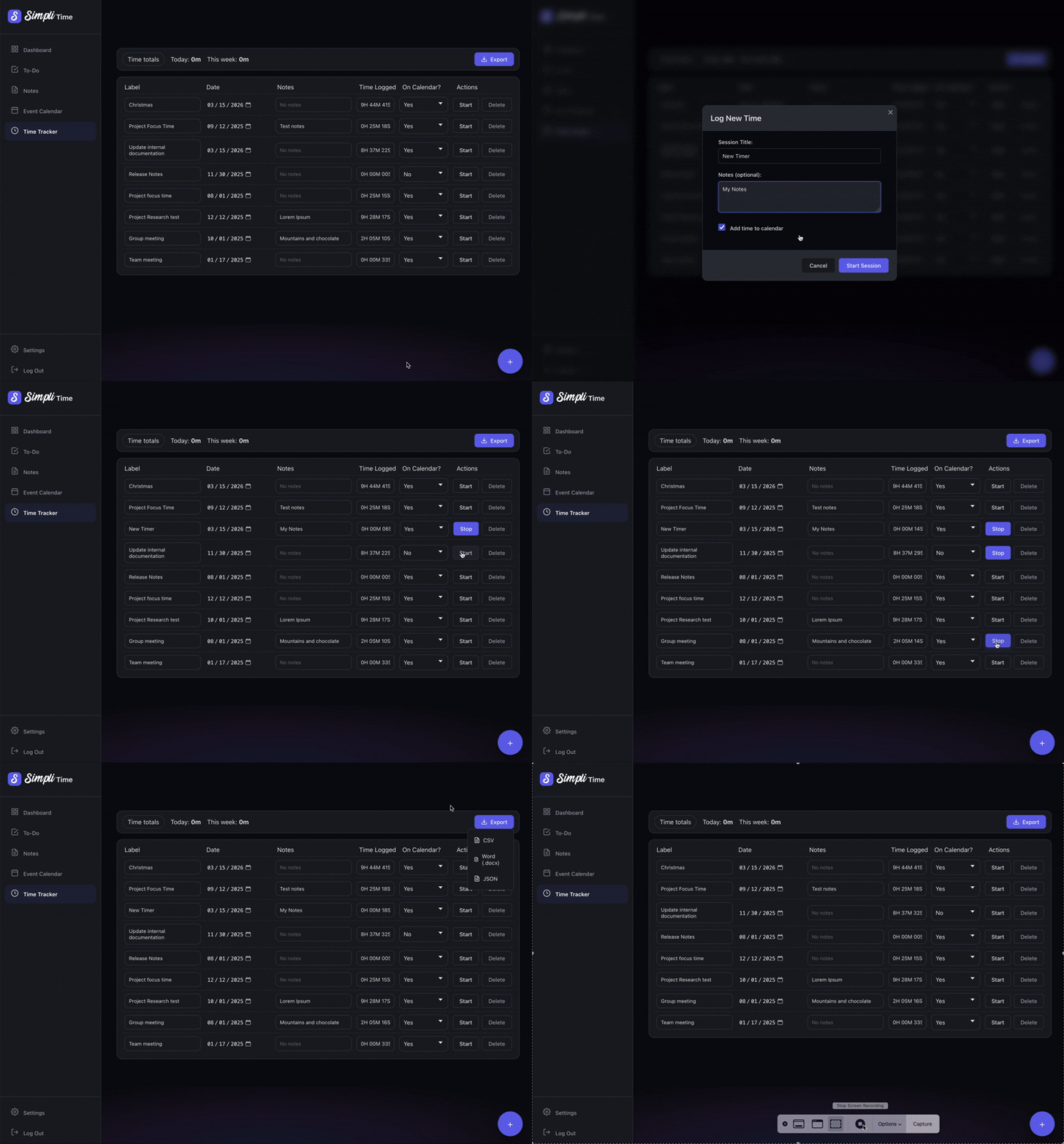
SimpliTools Time Tracker is ideal if you want:
-
A fast way to start and stop timers
-
Simple tracking without setup
-
Optional calendar visibility
-
Easy data export when needed
No clutter.
No subscriptions.
No unnecessary features.
Time Tracker FAQ
What can I track with the Time Tracker?
You can track any activity you want, including project work, meetings, focus sessions, admin tasks, or personal activities.
Can I start and stop timers multiple times?
Yes. Each tracked item supports multiple timing sessions, and all time is accumulated automatically.
Can time tracking entries appear on the calendar?
Yes. Timed events can optionally be added to the calendar so you can see tracked work alongside other events.
Can I export my time tracking data?
Yes. Paid accounts can export time tracking data to CSV or Excel-compatible formats using a one-time purchase option.
Is this a billing or invoicing tool?
No. SimpliTools Time Tracker is designed for simple time tracking, not complex billing workflows.
Does it support light and dark mode?
Yes. The Time Tracker supports both light and dark modes.