 Tools
ToolsA Simple Calendar That Connects Everything You Do
Most calendar apps only show events. They don’t reflect the work behind them — tasks you need to complete or time you’ve already spent.
SimpliTools Calendar was built to connect your schedule with your actual work.
It brings together calendar events, to-do items, and time tracking in one clean, readable place.
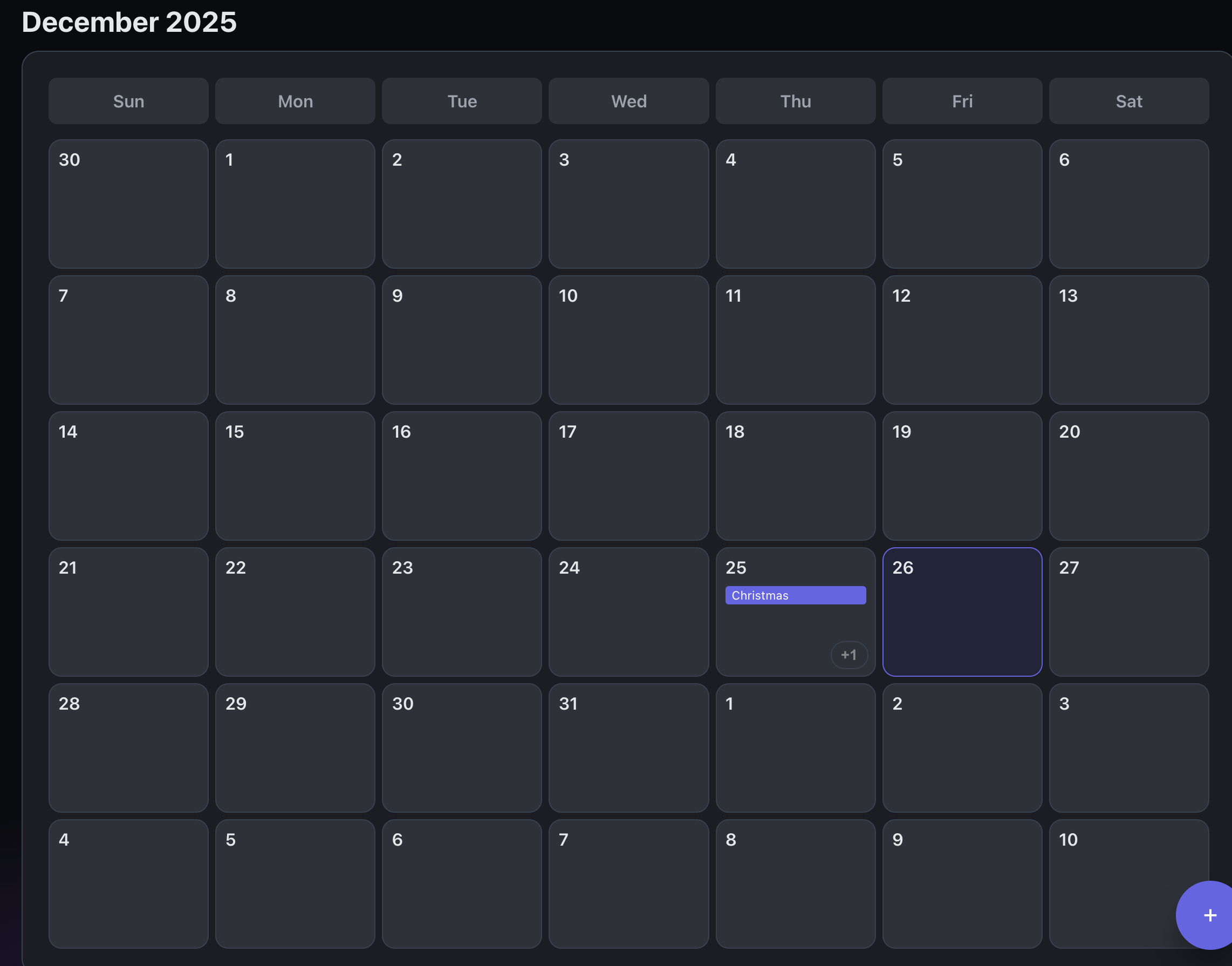
A Clean, Flexible Calendar for Daily Planning
SimpliTools Calendar is designed to stay simple while giving you the views you actually use.
You can switch between:
-
Month view for big-picture planning
-
Week view for day-to-day scheduling
Both views are fast, uncluttered, and easy to scan, whether you’re planning weeks ahead or focusing on what’s coming up next.
Tasks and Time Tracking Appear Automatically
Your calendar isn’t isolated from the rest of the app — it’s connected.
To-Do List Integration
-
Assign a date to a to-do item
-
That task automatically appears on the calendar
-
No duplicate entry required
This makes it easy to see what needs to be done on a specific day without maintaining separate systems.
Time Tracker Integration
-
Timed work sessions can optionally be added to the calendar
-
Completed time entries appear alongside other events
-
Get a realistic view of how your time is actually spent
Your calendar becomes a true reflection of both planned work and completed work.
Event Alerts You Control
SimpliTools Calendar supports event alerts so nothing slips through the cracks.
-
Enable alerts per event
-
Receive notifications via:
-
In-app alerts
-
Email notifications
-
-
Alerts are triggered for events happening within the next 24 hours
You decide which events need reminders — there’s no global alert noise or unnecessary interruptions.
Google Calendar Integration (One-Time Purchase)
With a one-time paid upgrade, SimpliTools can integrate directly with Google Calendar.
Once connected:
-
SimpliTools events appear in Google Calendar
-
Google Calendar events appear in SimpliTools
-
Events are merged into a single, unified calendar
-
Events can be edited and managed from either platform
This makes it easy to keep personal, work, or shared schedules in sync without switching apps.
At this time, SimpliTools supports linking to one Google Calendar per account.
Edit Events Anywhere, Stay in Sync Everywhere
When Google Calendar integration is enabled:
-
Changes made in SimpliTools sync to Google Calendar
-
Changes made in Google Calendar sync back to SimpliTools
-
No duplicate calendars to manage
Your schedule stays consistent across platforms.
Light and Dark Mode Included
Like the rest of SimpliTools, the Calendar supports both light mode and dark mode.
-
Clean light mode for daytime planning
-
Dark mode for low-light environments
-
Consistent layout and behavior across all views
Your calendar stays readable and comfortable no matter when you use it.
A Calendar Built to Support Real Work
SimpliTools Calendar isn’t just a place to store dates.
It’s designed to help you understand what’s scheduled, what needs to be done, and what time was spent — all in one place.
No clutter.
No duplicated effort.
No disconnected tools.
Calendar FAQ
Can I view the calendar by month or week?
Yes. SimpliTools Calendar supports both month view and week view, allowing you to switch based on how you plan your time.
Do to-do list items appear on the calendar?
Yes. If you assign a date to a to-do item, it will automatically appear on the calendar for that day.
Does time tracking show up on the calendar?
Yes. Timed events from the Time Tracker can optionally be added to the calendar, giving you visibility into how your time was spent.
Can I enable reminders for events?
Yes. Alerts can be enabled per event and are sent via in-app notifications and email for events occurring within the next 24 hours.
Does SimpliTools integrate with Google Calendar?
Yes. With a one-time paid upgrade, SimpliTools can integrate with Google Calendar, merging events from both platforms into a single calendar.
Can I edit Google Calendar events from SimpliTools?
Yes. When integrated, events can be created, edited, and managed from either SimpliTools or Google Calendar.
How many Google Calendars can I link?
Currently, SimpliTools supports linking to one Google Calendar per account.
Is there a dark and light mode?
Yes. SimpliTools Calendar supports both light and dark modes.