 Tools
ToolsSimple Notes, Written at the Speed of Thought
Most note-taking apps try to become full document editors or file storage systems. They add complexity, slow things down, and make writing feel heavier than it needs to be.
SimpliTools Notes were built for speed, clarity, and simplicity.
They exist so you can write things down quickly, find them easily, and move on.
A Clean Notes App Focused on Writing, Not Features
SimpliTools Notes focus on the core of note-taking:
-
Create notes instantly
-
Write without distractions
-
Save automatically as you type
-
Keep everything easy to find and manage
There’s no setup, no folders to configure, and no learning curve. Just open a note and start writing.
Create Unlimited Notes Instantly

You can create as many notes as you want, whenever you need them.
Notes work well for:
-
Quick ideas
-
Meeting notes
-
Research links
-
Project details
-
Personal reference information
-
Long-term documentation
Each note is created with a single action and immediately ready to edit.
Built-In WYSIWYG Editor
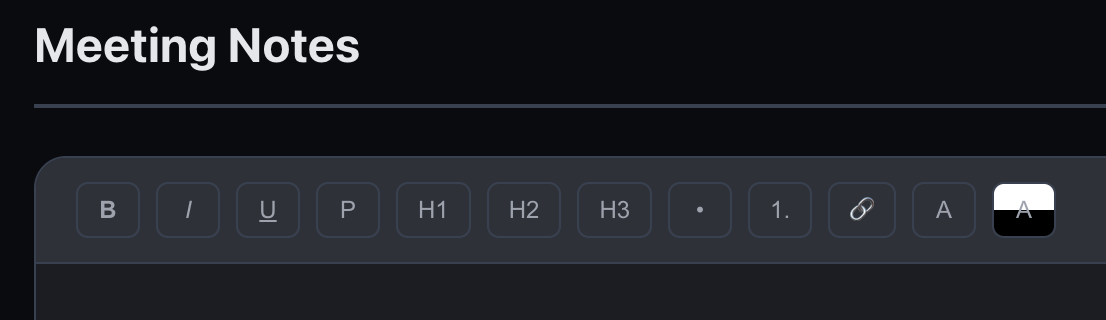
When you click into a note, you’re presented with a simple WYSIWYG editor that feels familiar and lightweight.
You can:
-
Write plain text naturally
-
Apply basic formatting
-
Use headings to organize longer notes
-
Focus on content without visual clutter
The editor is designed to feel responsive and predictable, so writing stays effortless.
Real-Time Saving as You Edit
There’s no save button — and no need for one.
-
Changes are saved in real time
-
Your content is preserved as you type
-
You never have to worry about losing edits
This makes SimpliTools Notes ideal for fast, informal writing as well as longer reference notes.
Rename and Reorder Notes Anytime
Notes aren’t locked into a structure.
-
Rename notes whenever you want
-
Reorder notes using drag and drop
-
Keep frequently used notes at the top
-
Adjust organization as your needs change
This keeps your notes flexible without forcing folders, tags, or rigid systems.
Export Notes When You Need Them (One-Time Purchase)
For users who want to take their notes outside the app, SimpliTools offers note export as a paid feature.
You can export notes as:
-
Plain text (.txt)
-
Microsoft Word–compatible documents
This is available via a one-time purchase, not a subscription. Export your notes anytime for backups, sharing, or long-term storage.
Light and Dark Mode Included

SimpliTools Notes support both light mode and dark mode, matching the rest of the app.
-
Clean, readable light mode for daytime use
-
Carefully tuned dark mode for low-light environments
-
Consistent layout and behavior across modes
Your notes stay comfortable to read and write in any setting.
A Focused Notes App by Design
At this time, SimpliTools Notes do not support file uploads or attachments.
This is an intentional choice to keep the note-taking experience fast and distraction-free.
Additional features may be considered in the future, but simplicity and speed remain the priority.
Notes That Stay Out of Your Way
SimpliTools Notes are designed for people who want:
-
Fast writing
-
Automatic saving
-
Simple organization
-
Clean design
No clutter.
No unnecessary tools.
Just a reliable place to write things down.
Notes FAQ
What type of notes can I create?
You can create unlimited notes for ideas, meetings, documentation, personal reference, or anything else you want to write down.
Does SimpliTools Notes save automatically?
Yes. All edits are saved in real time as you type, so there’s no need to manually save your work.
What kind of editor does SimpliTools use?
Notes use a simple WYSIWYG editor that supports basic formatting and headings while keeping the interface clean and distraction-free.
Can I rename or reorder my notes?
Yes. Notes can be renamed at any time and reordered using drag and drop.
Can I export my notes?
Yes. Paid accounts can export notes as plain text (.txt) or Microsoft Word–compatible documents using a one-time purchase option.
Does SimpliTools support file uploads in notes?
No. File uploads are not currently supported. This helps keep the notes experience fast and focused, though additional features may be considered in the future.
Are there light and dark modes?
Yes. SimpliTools Notes support both light and dark modes.